Edit videos by talking. Your AI edit director does the rest.
Type or say what you want. ChatCut cuts, captions, animates, adds charts, even fixes a line in your own voice, and hands you the finished MP4. It runs on your computer, uses the AI subscription you already have, and costs $27. Once.
Shooting is the easy part. Editing is where your week disappears.
You record in 20 minutes. Then you lose the whole evening in the timeline.
You hunt down every pause, cut every "um" and repeated line, and sync captions word by word. You dig for that effect you saw in someone else's video and can't figure out.
Ads are worse. Every new hook means a reshoot, a re-edit and another day waiting on your editor.
You know how it ends:
- the video ships after the idea went cold;
- you post less than you should;
- the creatives you meant to test never get tested;
- or you settle for "good enough", because there was no time to make it great.
Stop editing. Start directing.
Picture an editor sitting right next to you. You say, "cut the pauses, add captions, and drop a chart here when I talk about revenue." Done.
That's ChatCut.
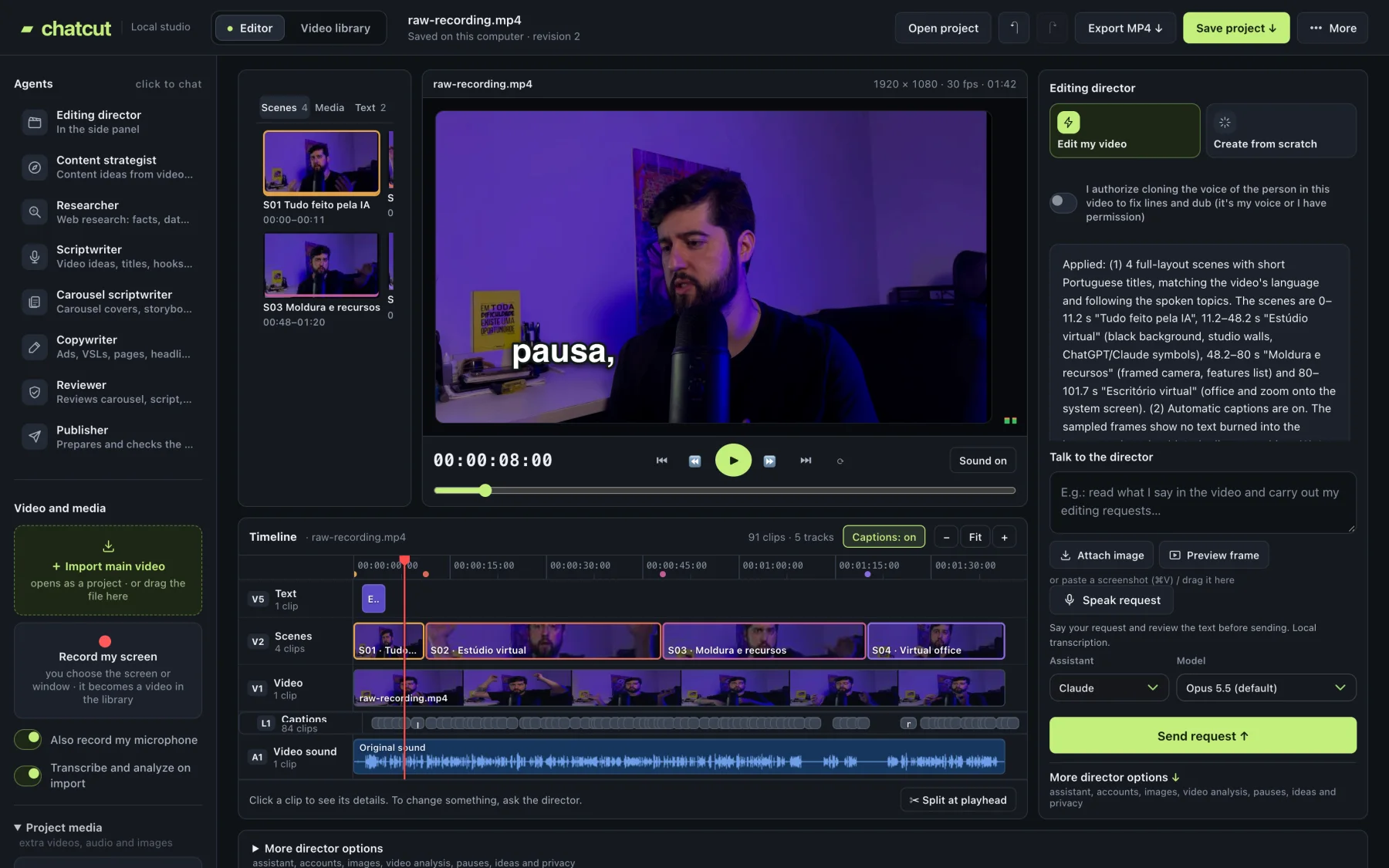
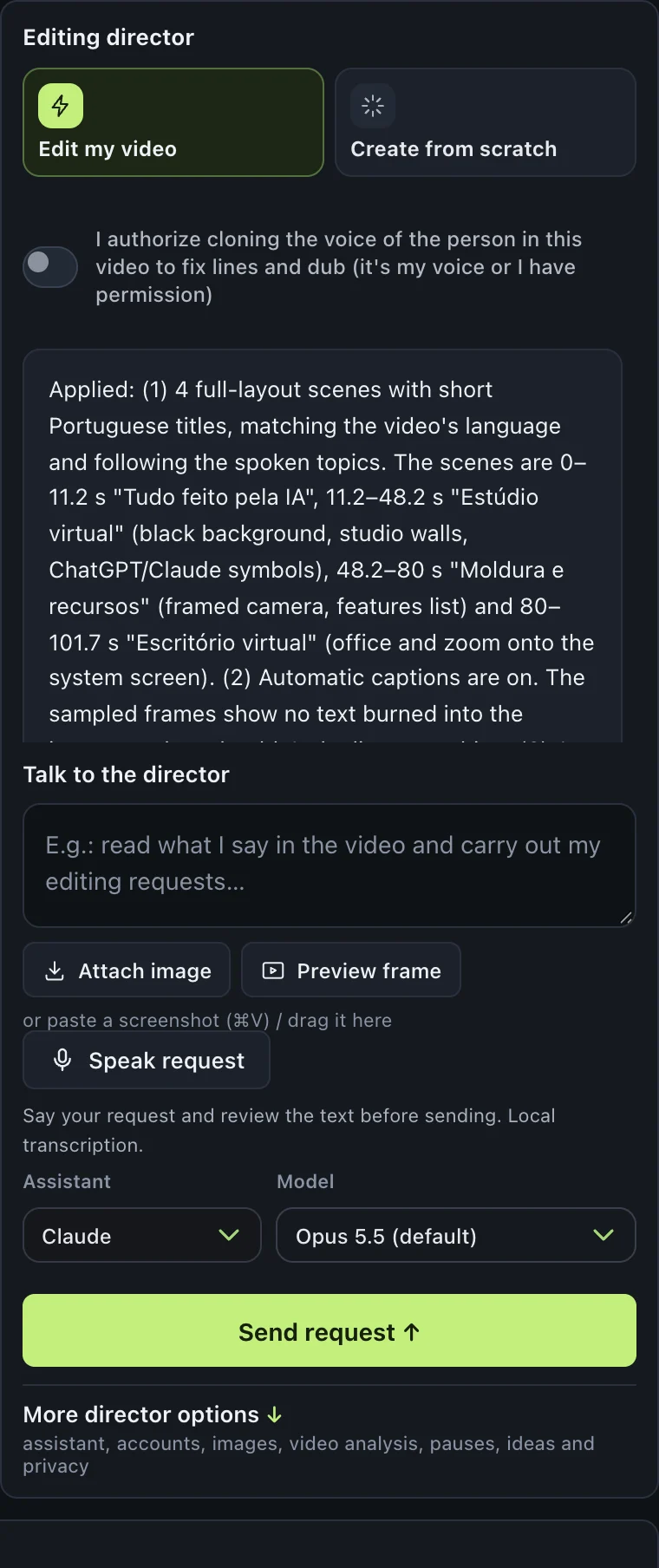
It transcribes your video and looks at the frames, so it understands what was said and what's on screen. You ask the way you'd ask a person: type it, say it, or paste a screenshot. Then the edit director decides how to do it:
Changes the timeline in seconds.
Edits like a human editor and delivers a brand-new MP4 in 20–60 minutes.
The director's brain is the AI subscription you already have: Claude (Pro or Max), running Claude Opus 5.5, the latest model, by default. For images, ChatGPT or a Google Gemini key.
No extra AI subscription. ChatCut uses your account.
You don't need to learn editing. You just need to know what you want.
Here's what your director does for you
Ask like you'd ask an editor
Type or speak your request. Your voice is transcribed on your own machine.
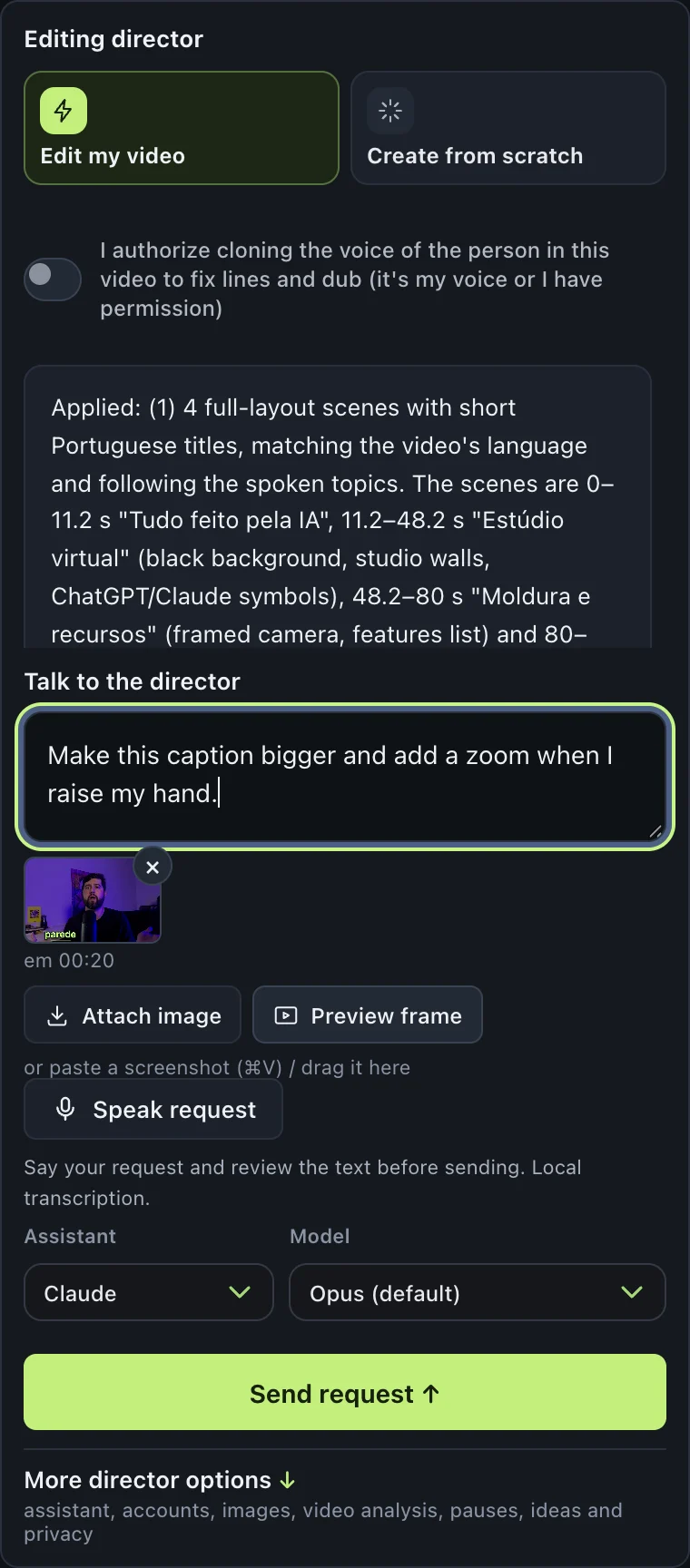
Show, don't explain
Paste a screenshot or grab a frame from the preview and say "change this."
It follows what you say on camera
Said "put a chart here" while recording? It hears you and does it.
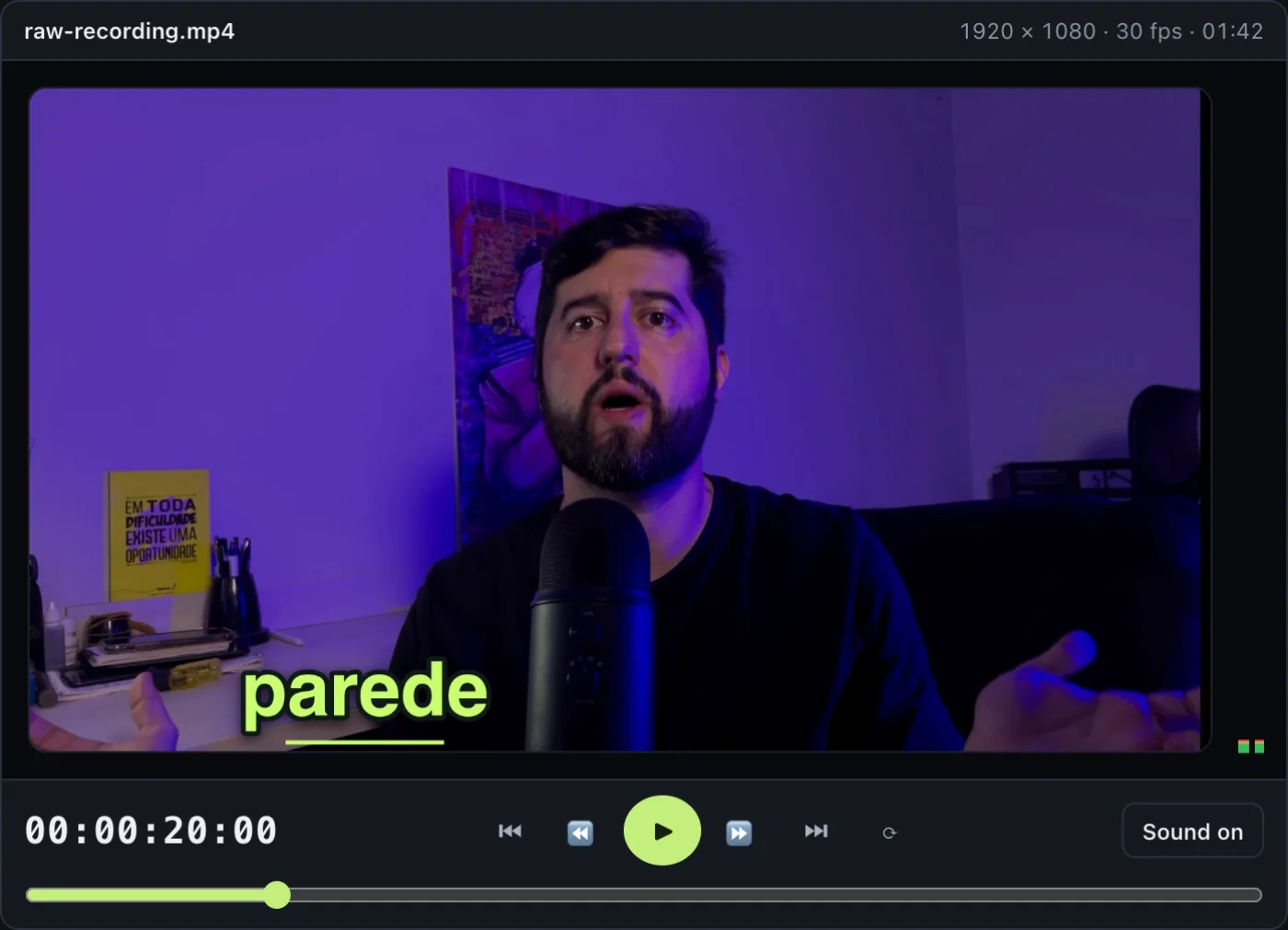
Word-by-word captions
Animated captions synced to every word, zero typing.
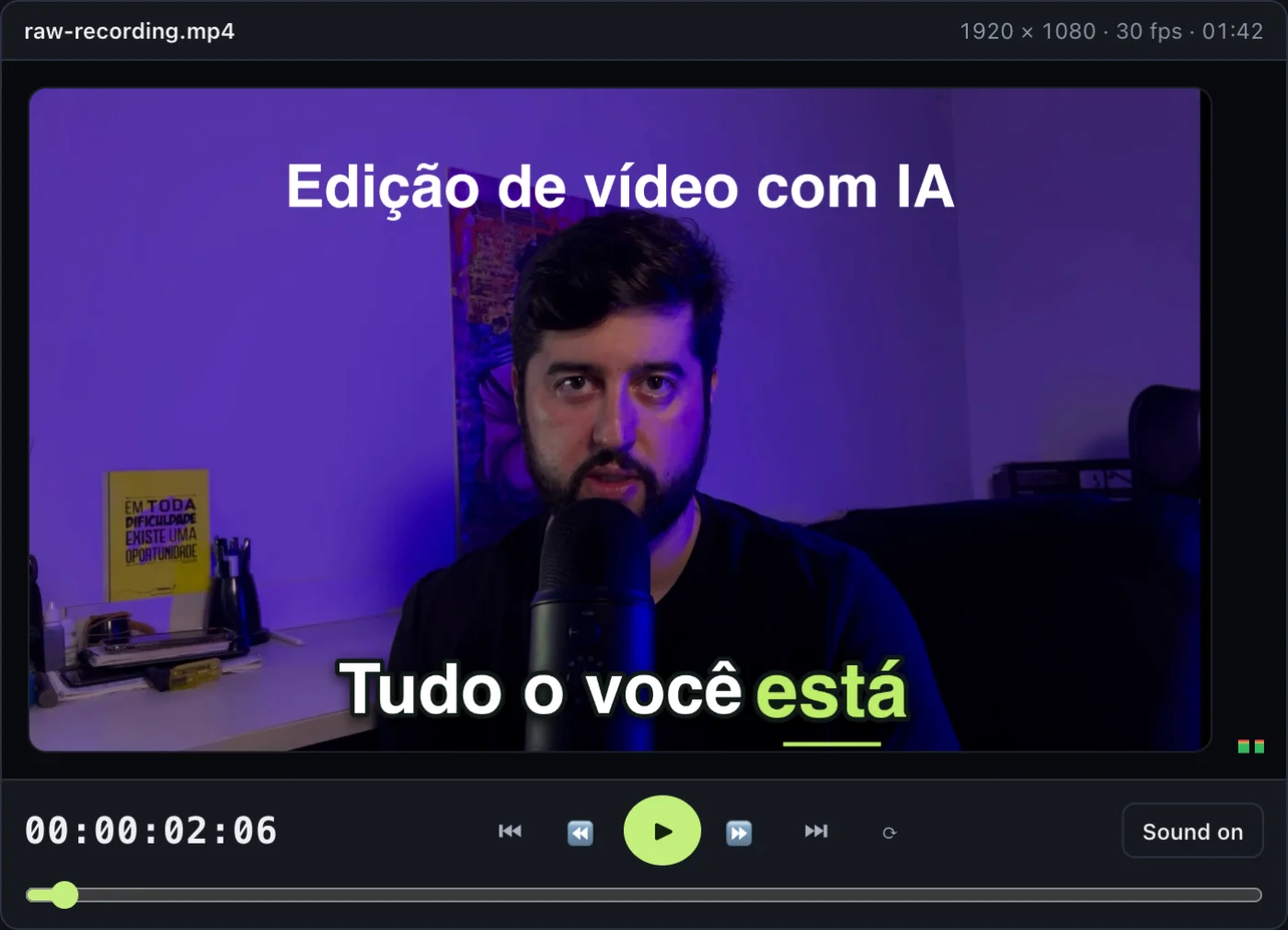
Big-channel visuals
Scene titles, animated text, charts, diagrams, route maps, 3D objects, 3D-perspective images, particles, color effects, zooms and sound hits.
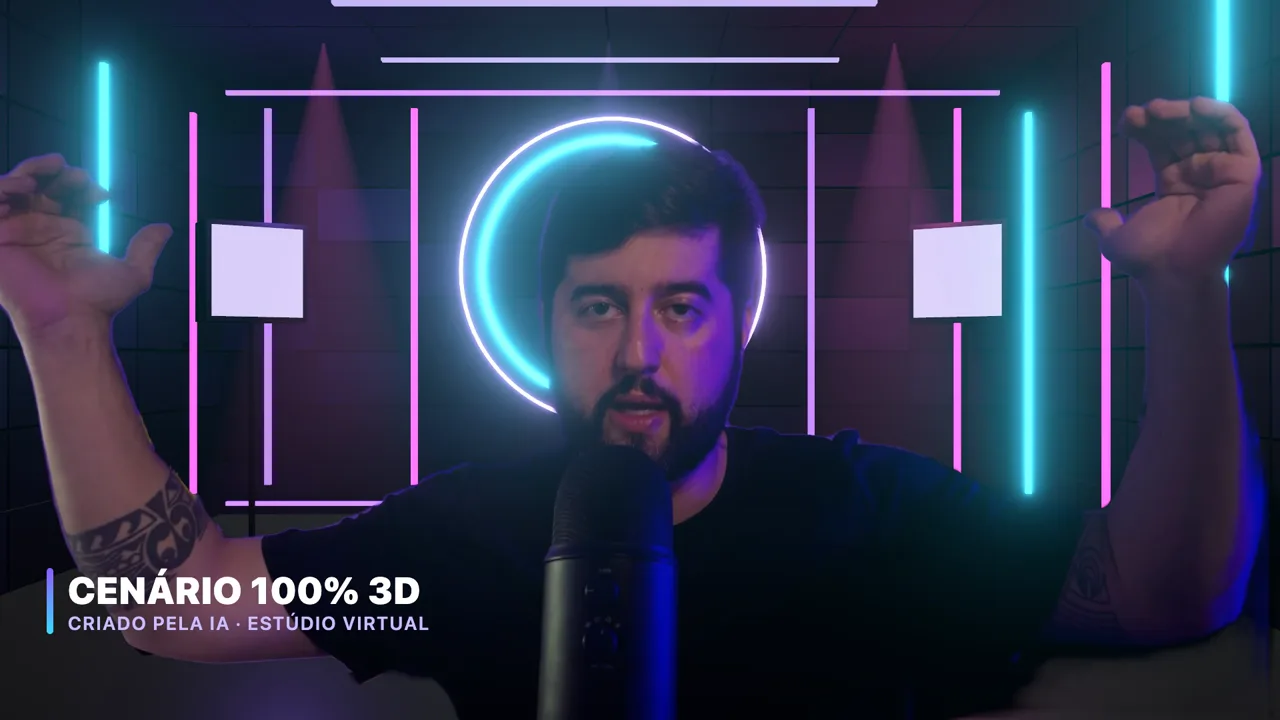
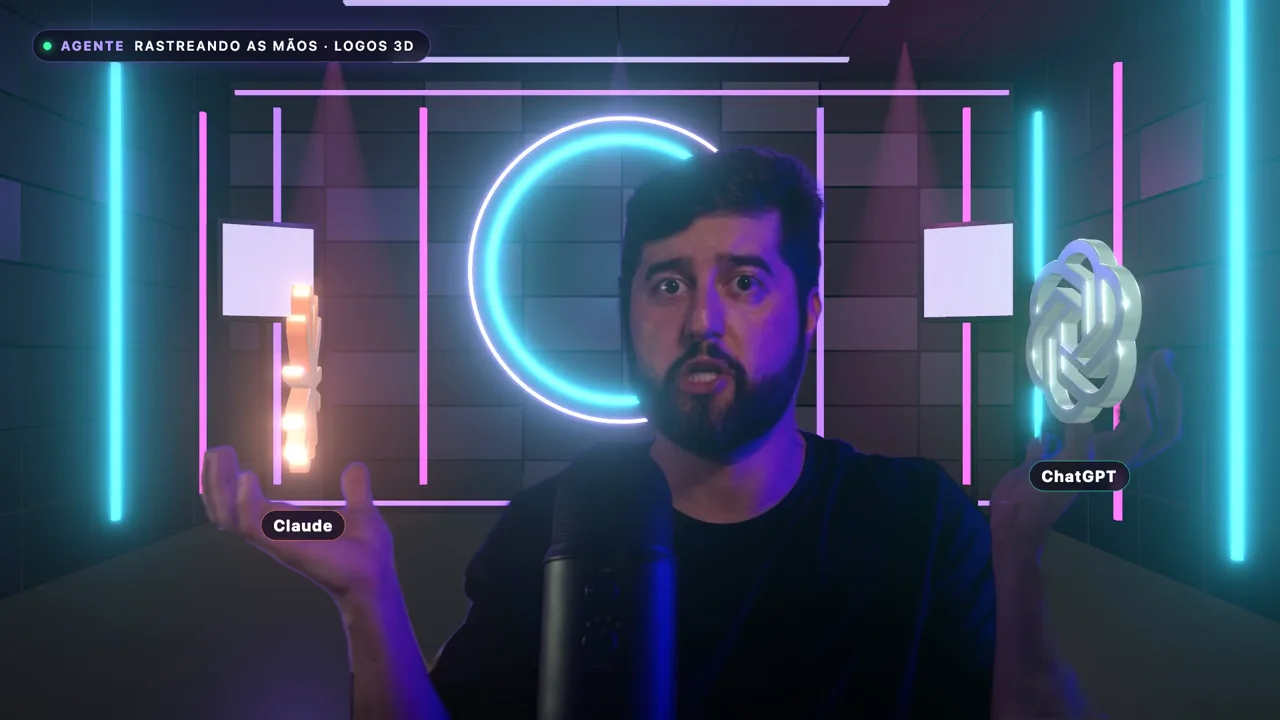
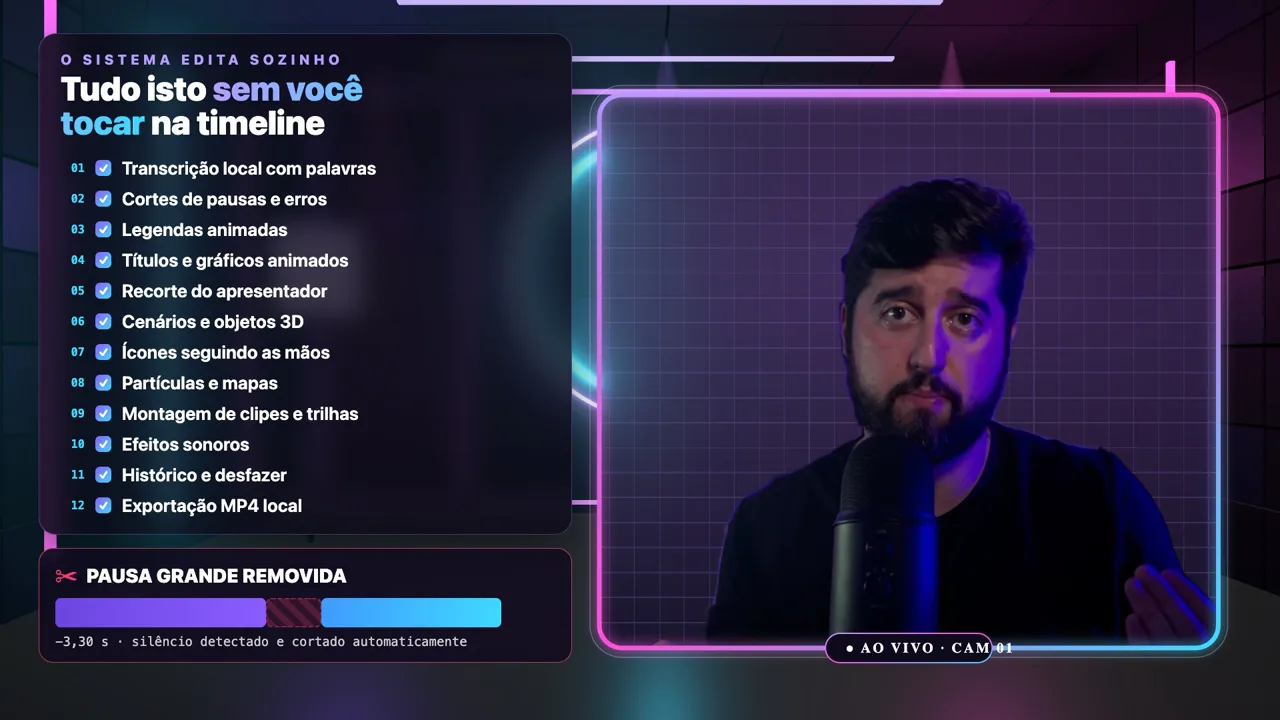
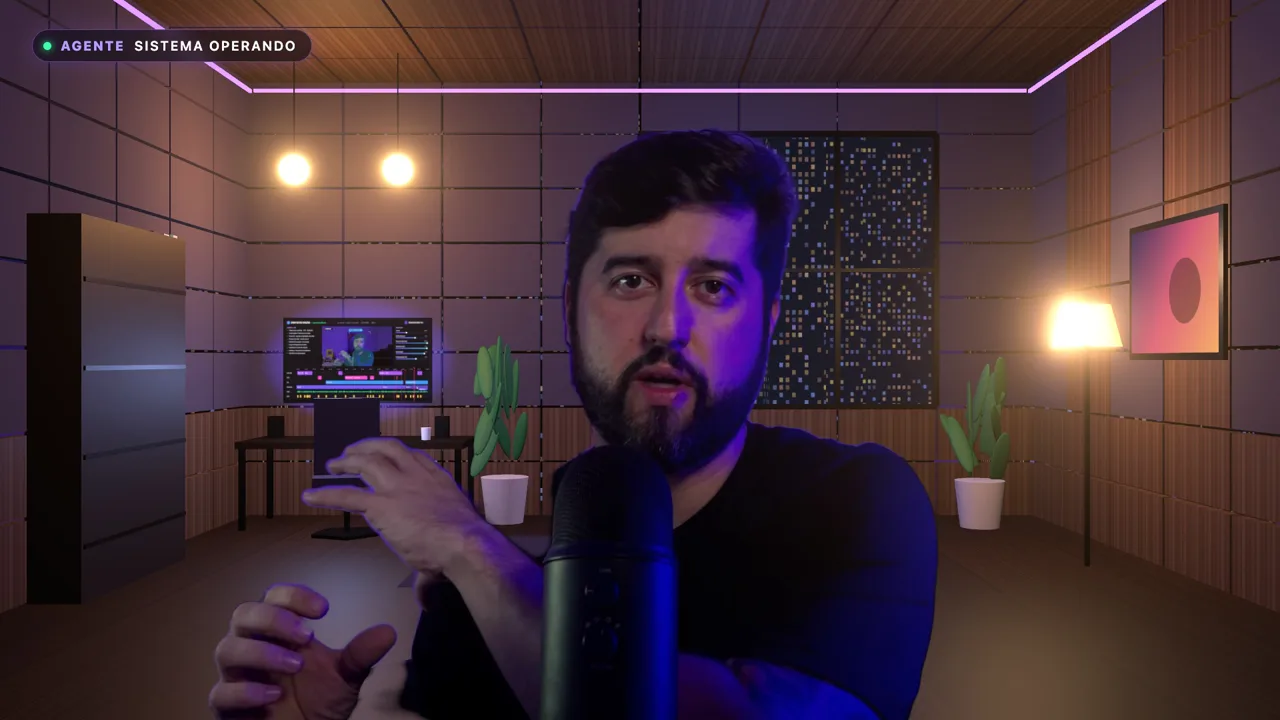
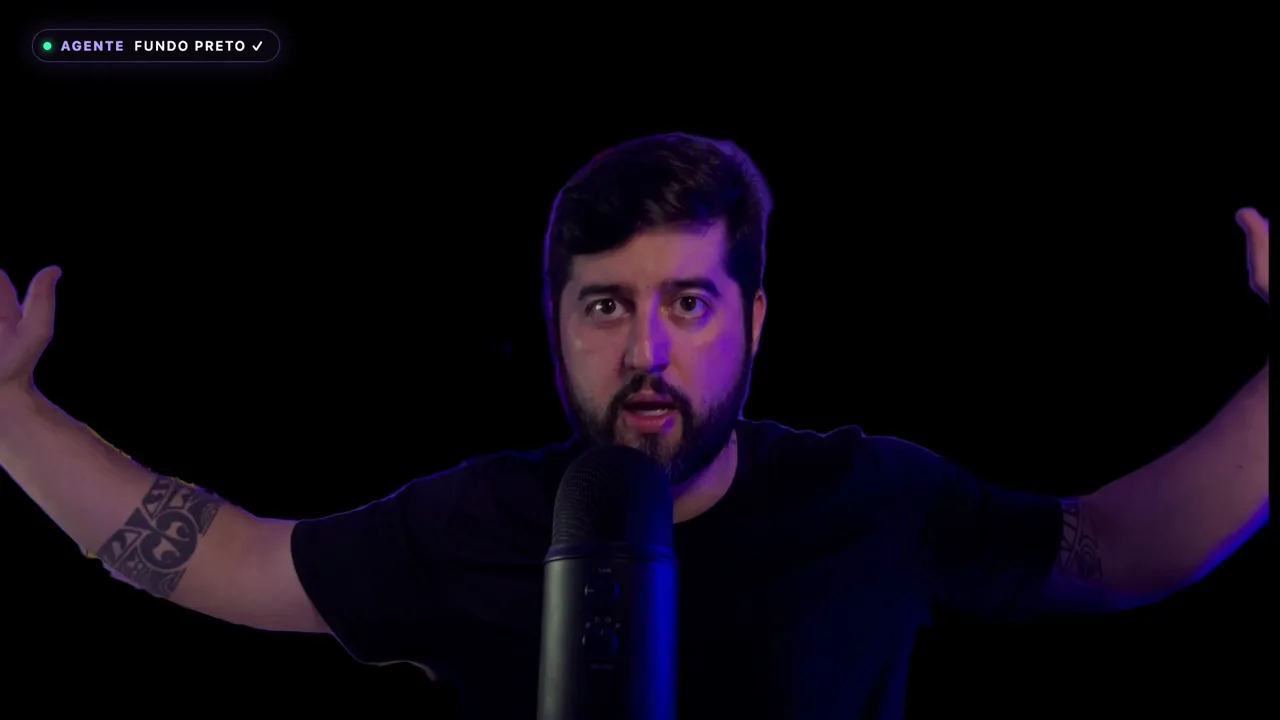
Virtual office & background removal
You, cut out and placed in a pro set. No green screen.
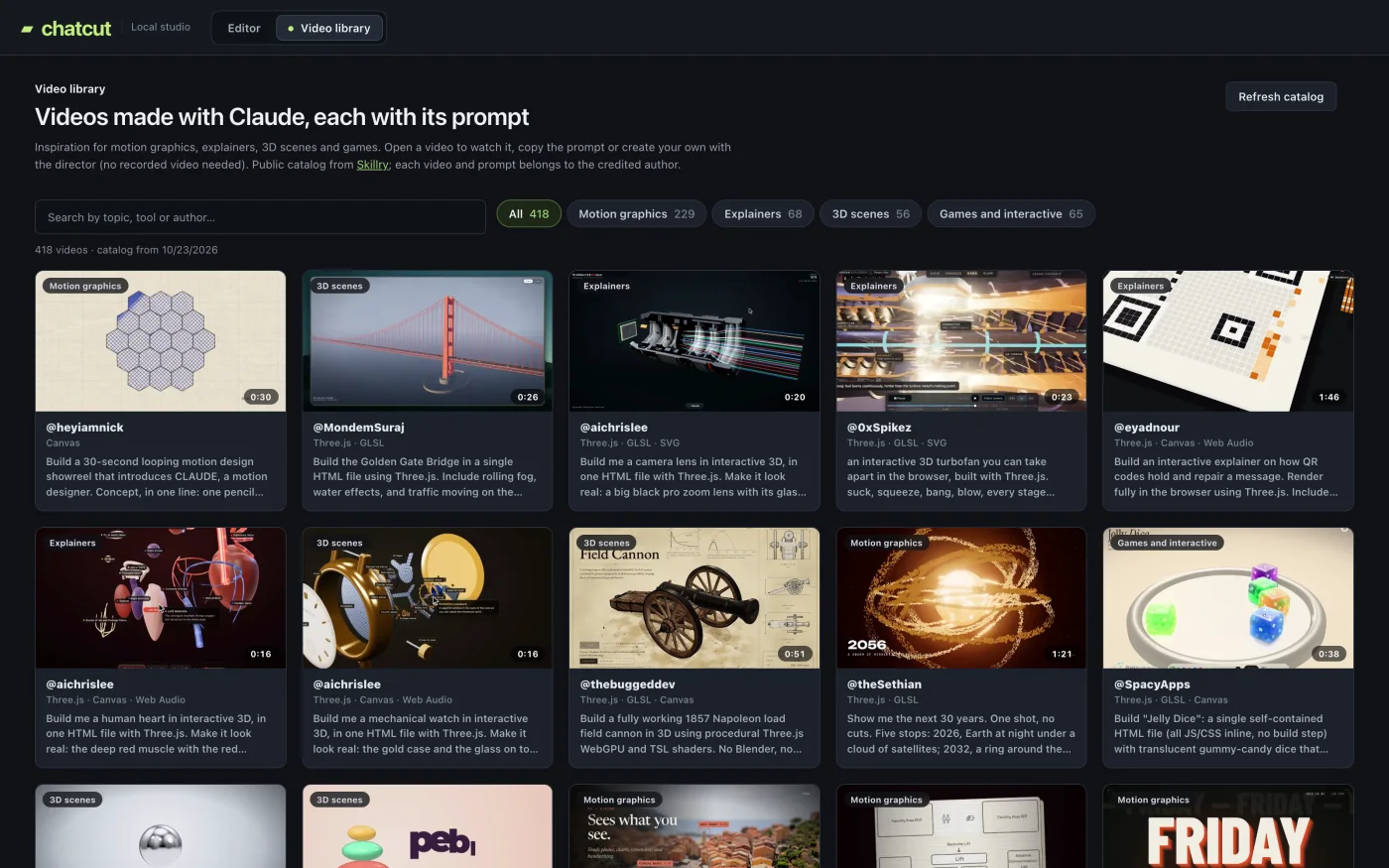
Inspiration library
Hundreds of AI-made videos, each with its prompt. One click to make yours.
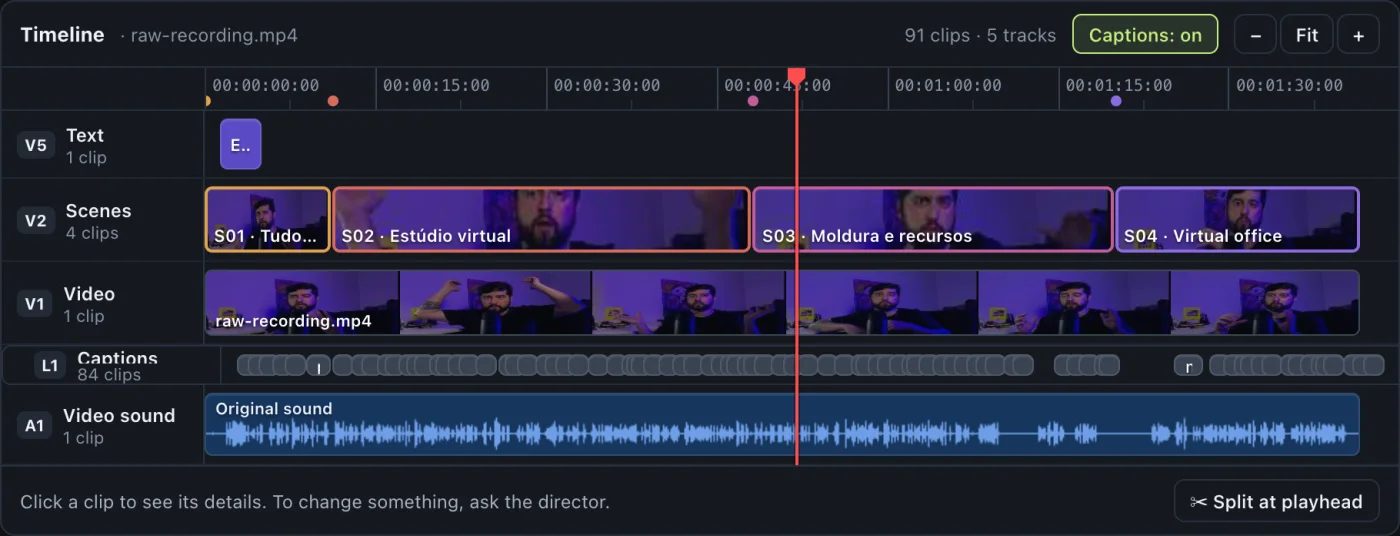
Full control when you want it
Pro timeline: video, caption and audio tracks, waveforms, drag, trim, split, snap and undo.
Auto clean-up
Pauses, breaths and repeated lines, gone.
Edits in your style
Send a video you love; it studies the cut rhythm, colors, fonts, captions and animations, then edits like that.
Export, done
MP4 saved wherever you choose.
Made with ChatCut
- Recipe Reels ("Operação 70" series): raw recordings of about 45 minutes turned into ~1-minute videos with word-level cuts, cover, cards and captions.
- Ad creatives: ChatCut's creator builds his own ads with it.
(Every image on this page is a real ChatCut screen.)
What no regular editor can do
1. Fix a line without reshooting, in your own voice
Flubbed a word? Want a new hook on your ad? ChatCut uses your cloned voice (with your permission) to redo just that line.
2. Your video in another language, in your voice
Dub into Spanish, Portuguese and more, in your own voice.
3. Full Production: real motion design
Ask for "the full treatment" and the director works like a human editor: tight cuts and presenter cutouts; 3D scenes and code-built motion graphics; sound effects, music and mixing. It can even rebuild a caption in the exact style of one already burned into the footage. You get a new MP4 in 20–60 minutes.
4. Create from scratch, no camera needed
Motion-graphics videos, explainers and 3D scenes from a prompt. Plus Instagram carousels, including the live carousel: video slides with motion and sound.
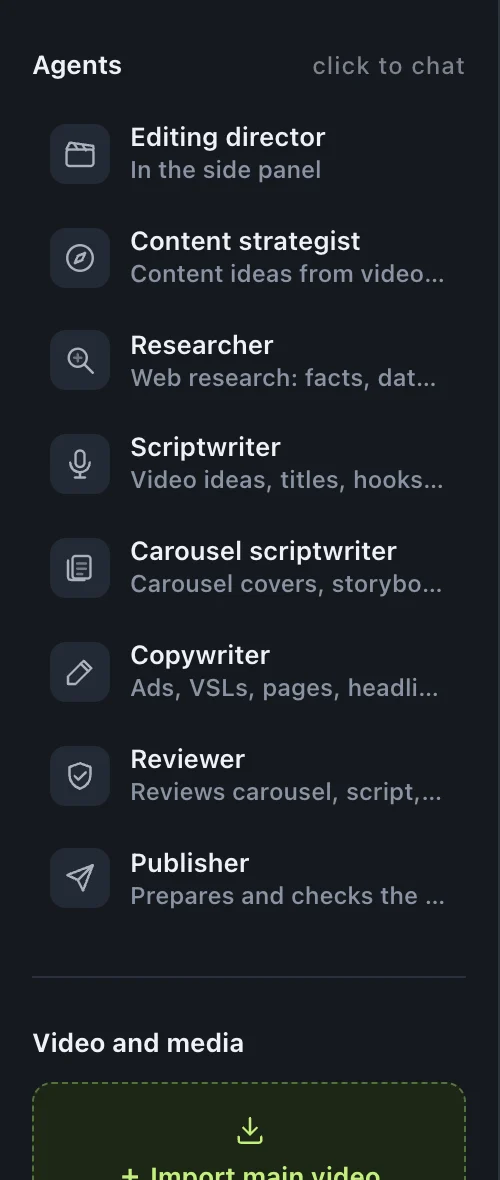
5. A marketing team on the left panel, ready whenever you call
The agents live on the left side of ChatCut. Click one and it opens its own conversation, saved on your computer. Ask questions, get ideas, or hand off the work. Talk to them directly, no editing required.
- Content strategist: pulls video ideas from videos, links and the creators you follow.
- Researcher: brings facts, data, sources and what your audience is saying.
- Video scriptwriter: writes the script for your next video.
- Carousel scriptwriter: builds your carousel slide by slide.
- Reviewer: checks everything before you post.
- Publisher: gets your Instagram post ready.
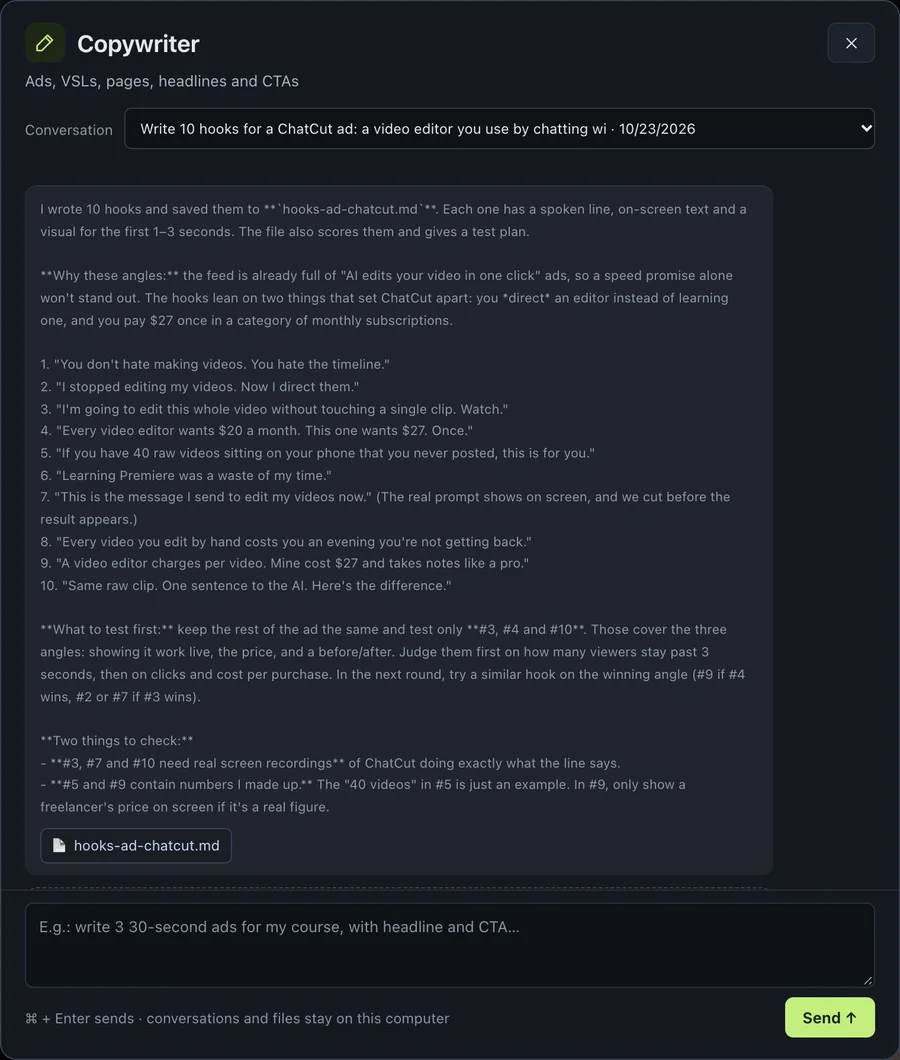
Spotlight: the Copywriter
The most heavily trained agent on the team. The direct-response Copywriter was trained on the methods of Gary Halbert, Eugene Schwartz, Gary Bencivenga, John Carlton, Dan Kennedy, Joe Sugarman, Stefan Georgi (RMBC), Jon Benson (VSL) and Todd Brown. Ask for an ad, a VSL, a sales page, headlines or CTAs, and it writes like a direct-response pro.
It's like having the playbooks of history's greatest copywriters in a chat right next to your editor.
6. Post straight to Instagram
Photo or video carousels via the official API, after you review and approve.
It's for you if…
- You make content for YouTube, Reels, TikTok or courses. You don't mind recording, but you hate editing (or just don't have the time).
- You run ads and want to test lots of hooks and variations without reshooting or waiting on an editor.
- You're a social media manager or small agency that ships carousels and videos at volume.
- You've never edited and want pro results by asking in plain English, Spanish or Portuguese.
It's not for you if…
- You won't use an AI subscription (Claude and/or ChatGPT). ChatCut needs one to work.
- You edit films or projects longer than 20 minutes.
- You need lip-sync (mouth matching the cloned voice). ChatCut doesn't do that.
- You want to clone someone's voice without their permission.
How it stacks up
| Freelance editor | Subscription editing apps | DIY | ChatCut | |
|---|---|---|---|---|
| Cost | Per video | Monthly fee | Your time | $27 once + the AI plan you already use |
| Speed | Days, with back-and-forth | Fast, but you do the work | Hours per video | Seconds for tweaks; 20–60 min for Full Production |
| Who does the work | Them | You | You | The AI director. You just ask |
| Redo / test variations | New round, new deadline | Manual | Manual | Just ask again (uses your AI plan's limits) |
| Voice clone & dubbing | Usually no | Depends on the app | No | Yes, in your own voice |
| Where your videos live | With them | In the app's cloud | Your computer | Your computer |
A great human editor still has a creative eye and is worth the money. ChatCut is for people who want volume, speed and independence, without another monthly bill.
Your own edit director for less than one edited video
Think about what one video costs from a freelancer. Or what you've already paid, month after month, for editing apps. ChatCut is a one-time payment: use it on as many videos as you want, forever, with every update included.
You get:
- ChatCut for Mac & Windows, with the chat-based edit director
- Full Production: motion design, 3D, music and mixing
- Voice cloning & dubbing in your own voice
- Create from scratch: videos and carousels (including the live carousel)
- Instagram publishing via the official API
- Pro timeline
- One-click installer, no terminal (includes the voice engine)
- Lifetime updates & license key
Plus these bonuses, already built in
Nothing extra to download later. Everything below ships inside ChatCut, ready on day one.
Bonus 1: The Inspiration Library
Hundreds of AI-made videos, each with the exact prompt behind it. See one you like? Click "Create with the director" and make your own. No blank page.
Bonuses 2–8: A team of 7 specialist agents, trained to back up your edit director
Each agent lives on the left panel with its own conversation, saved on your computer. Call whoever you need:
- Bonus 2: Direct-response Copywriter. The most heavily trained of the team, built on the methods of Gary Halbert, Eugene Schwartz, Gary Bencivenga, John Carlton, Dan Kennedy, Joe Sugarman, Stefan Georgi (RMBC), Jon Benson (VSL) and Todd Brown. Writes ads, hooks, VSLs, sales pages, headlines and CTAs.
- Bonus 3: Content Strategist. Tells you what to make, pulling ideas from videos, links and the creators you follow.
- Bonus 4: Researcher. Before you hit record, brings facts, data, sources and what your audience is saying.
- Bonus 5: Video Scriptwriter. Turns the idea into your next video's script.
- Bonus 6: Carousel Scriptwriter. Builds your carousel slide by slide, Instagram-ready.
- Bonus 7: Reviewer. Checks your video, carousel or copy before you post.
- Bonus 8: Publisher. Gets your Instagram post ready for you to review and approve.
In practice, that's strategy, research, scripts, copy, review and publishing (a small agency's worth of work) running alongside your edit director.
No ChatCut subscription. Lifetime updates.
14-day money-back guarantee, no questions asked. Install it, edit your own videos, put the director to work. If it's not for you, ask for a refund within the window and get 100% back.
FAQ
Do I need an AI subscription?
Yes. ChatCut runs on your subscription: Claude (Pro or Max), with Claude Opus 5.5 by default, and/or ChatGPT; for images, ChatGPT or a Google Gemini key. ChatCut doesn't charge for AI, but usage counts toward your plan's limits.
Does Full Production use a lot?
Yes. It uses a good chunk of your plan's limits and takes 20–60 minutes per video. Quick tweaks happen right on the timeline in seconds.
How long can my video be?
Up to 20 minutes per project.
Does the cloned voice lip-sync?
No. ChatCut doesn't do lip-sync. The cloned voice works best for voiceover, new ad hooks, or lines where the speaker's mouth isn't in close-up. Use it only with your own voice or with the speaker's permission.
Will it run on my computer?
Mac and Windows, any recent computer. On slower machines, analysis and export take longer.
Do I need to know coding or the terminal?
No. A setup assistant installs everything, including the voice engine.
Will my computer show a warning when I install?
It might. The installer isn't developer-signed yet, so the first time you open it, macOS or Windows may ask you to confirm.
Do my videos get uploaded anywhere?
No. Your videos and projects stay on your computer. The AI only receives sampled frames and the transcript, never the full video file.
Which languages does it support?
English, Spanish and Portuguese interface. The AI replies in the language you pick, and transcription detects your video's language automatically.
Is it a subscription?
No. One-time payment, lifetime updates, license key.
What if I don't like it?
You're covered for 14 days. Ask for a refund and get 100% back.
Your next video could be done before you finish recording the one after it.
You've got two options.
Keep losing nights in the timeline, putting off the content and the ad tests you know you need.
Or get an edit director who understands what you ask for, for $27, once.